
Introduction
Facebook Par Meta Ads Kaise Chalaye? Yeh sawal aaj har beginner, freelancer, digital marketer aur small business owner ke mind me aata hai. Today, millions of businesses use Meta Ads to reach the right customers and grow their sales.
Whether you have a local shop in India or an online business serving global customers, Meta Ads can help you reach people faster.
For example, if you own a clothing store, restaurant, coaching center, or eCommerce website, you can show your ads only to people who are interested in your products. Therefore, you do not waste your marketing budget.
However, many beginners think Meta Ads are difficult because they see many settings inside Meta Ads Manager. The good news is that once you understand the basics, creating your first campaign becomes easy.
In this guide, you will learn Facebook Par Meta Ads Kaise Chalaye step by step using simple English. Also, you will learn how to create campaigns, choose the right audience, set your budget, and avoid common mistakes.
Whether you are from India or any other country, this complete beginner guide will help you understand Facebook Par Meta Ads Kaise Chalaye in the easiest way.
Facebook Par Meta Ads Kaise Chalaye sikhna aaj ke time me har business owner ke liye important skill hai.
Agar aap is guide ko end tak follow karenge, to Facebook Par Meta Ads Kaise Chalaye iska complete practical process aasani se samajh jayenge.
Facebook Par Meta Ads Kya Hai
Before learning Facebook Par Meta Ads Kaise Chalaye, it is important to understand what Meta Ads actually are.
Meta Ads are paid advertisements created through the Meta Ads Manager platform. These ads can appear on multiple Meta platforms, including:
- Messenger
- Facebook Audience Network
Instead of waiting for customers to find your business, Meta Ads help you reach the right audience quickly.
For example, if you sell fitness products, you can show your ads only to people interested in health and fitness.
Because of smart targeting, businesses can generate more leads, website traffic, and sales.Before creating your first campaign, you should set up a Meta Business Manager account. This official platform helps you manage Facebook Pages, Ad Accounts, billing, and campaign performance in one place.
What Makes Meta Ads Powerful
- Reach millions of users
- Control your daily budget
- Target specific people
- Track every click and conversion
- Improve campaigns using AI optimization
Therefore, learning Facebook Par Meta Ads Kaise Chalaye is one of the most valuable digital marketing skills in 2026.
Facebook Ads vs Meta Ads
| Feature | Facebook Ads | Meta Ads |
| Platform | Only Facebook | Facebook, Instagram, Messenger & Audience Network |
| Audience Reach | Limited | Wider Reach |
| AI Optimization | Basic | Advanced AI |
| Campaign Types | Limited | Multiple Objectives |
| Best For | Small Campaigns | Business Growth |
Facebook Par Meta Ads Chalane Ke Benefits
Understanding Facebook Par Meta Ads Kaise Chalaye becomes more interesting when you know its benefits.
Today, even small businesses with a low budget can compete with big brands using Meta Ads.
Agar aap seriously seekhna chahte hain ki Facebook Par Meta Ads Kaise Chalaye, to in benefits ko samajhna bahut zaruri hai. Ye benefits aapko better campaign decisions lene me madad karte hain.
1. Reach the Right Audience
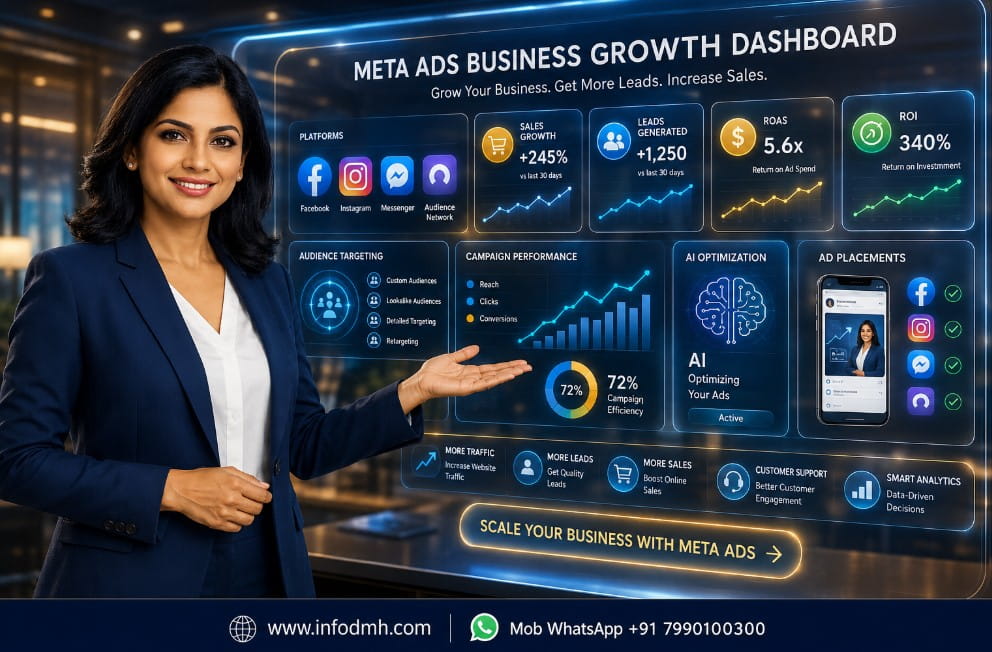
Meta Ads allow you to target people based on:
- Location
- Age
- Gender
- Interests
- Behaviour
- Language
For example, a bakery in Surat can target customers within a 10 km radius.
2. Increase Sales
If your product solves a problem, Meta Ads can quickly generate leads and sales.
Therefore, many eCommerce businesses use Meta Ads every day.
3. Budget Control
One of the best features is budget flexibility.
You can start with:
- ₹300 per day
- ₹500 per day
- ₹1000 per day
Global advertisers can also set budgets in their local currency.
4. Detailed Performance Reports
Meta provides detailed analytics like:
- Clicks
- Reach
- Impressions
- Cost Per Click (CPC)
- Cost Per Result
- Return on Ad Spend (ROAS)
Because of these reports, businesses can continuously improve their campaigns.
5. Suitable for Every Business
Meta Ads work for almost every industry.
Examples include:
- Restaurants
- Coaching Institutes
- Freelancers
- Real Estate
- Doctors
- Salons
- Digital Marketing Agencies
- Online Courses
- eCommerce Stores
Facebook Par Meta Ads Chalane Ke Liye Kya Chahiye
Before starting Facebook Par Meta Ads Kaise Chalaye, make sure you have these basic requirements.
Facebook Account
A personal Facebook account is required.
Facebook Business Page
Your business page represents your brand.
Customers will see your ads through this page.
Meta Business Manager
Meta Business Manager helps you manage:
- Pages
- Ad Accounts
- Team Members
- Pixels
- Billing
This is the official platform for running professional ads.
Payment Method
You need to add a payment method such as:
- Debit Card
- Credit Card
- UPI (where supported)
- Net Banking (availability may vary)
Website or Landing Page
Although not mandatory, having a website improves conversions.
For example:
- Product Website
- Service Website
- Landing Page
- WhatsApp Business Link
Facebook Par Meta Ads Kaise Chalaye – Step-by-Step Guide
Is section me hum practical tarike se dekhenge ki Facebook Par Meta Ads Kaise Chalaye aur har step ko correctly follow karke successful campaign kaise banaya jata hai.
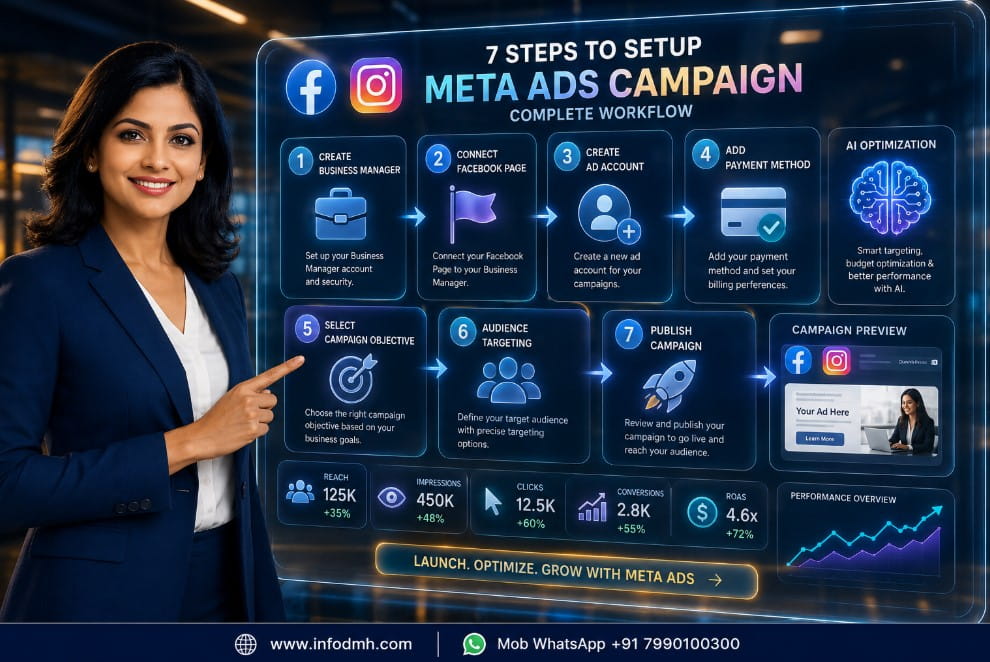
Now comes the most important section Facebook Par Meta Ads Kaise Chalaye.
Follow these simple steps carefully.
Step 1: Create Meta Business Manager
Visit the official Meta Business platform.
Create your business account using your email.
Step 2: Add Your Facebook Page
Connect your business page inside Business Manager.
This allows you to create professional campaigns.
Step 3: Create an Ad Account
Inside Business Manager:
- Select Business Settings
- Click Ad Accounts
- Create New Ad Account
Choose your:
- Time Zone
- Currency
- Business Name
Step 4: Add Payment Method
Before publishing ads, add your payment details.
Without payment information, ads cannot run.
Step 5: Choose Campaign Objective
Meta offers different campaign objectives such as:
- Awareness
- Traffic
- Engagement
- Leads
- App Promotion
- Sales
Choose the objective based on your business goal.
For example, if you want website visitors, select Traffic.
If you want purchases, choose Sales.
Therefore, selecting the correct objective is the first step toward successful Facebook Par Meta Ads Kaise Chalaye.
Meta Ads Campaign Objectives Ko Samjhe
One of the biggest mistakes beginners make while learning Facebook Par Meta Ads Kaise Chalaye is selecting the wrong campaign objective.
Every objective has a different purpose.
| Objective | Best Use Case |
| Awareness | Increase brand visibility |
| Traffic | Bring visitors to your website |
| Engagement | Get likes, comments, and shares |
| Leads | Collect customer inquiries |
| App Promotion | Increase app installs |
| Sales | Generate online purchases |
Which Objective Should Beginners Choose
- Awareness: Best for new brands.
- Traffic: Good for blogs and websites.
- Engagement: Ideal for growing social media presence.
- Leads: Best for service businesses like coaching, insurance, or real estate.
- Sales: Perfect for eCommerce stores.
6. Sahi Audience Targeting Kaise Kare
Agar aap Facebook Par Meta Ads Kaise Chalaye sikh rahe hain, to audience targeting sabse important skill hai.
Even the best ad creative will not perform well if it reaches the wrong people. Therefore, always spend time understanding your target audience before launching a campaign.
Location Targeting
Choose the area where your customers live.
For example:
- India (Entire Country)
- Gujarat
- Surat
- Mumbai
- New York
- London
If you own a local business, target only nearby customers. However, if you sell digital products or online courses, you can target multiple countries.
Age Targeting
Select the age group that matches your product.
Examples:
- 18–24 Years – Students
- 25–34 Years – Young Professionals
- 35–44 Years – Business Owners
- 45+ Years – Experienced Buyers
Because different age groups have different buying behavior, choosing the right age improves ad performance.
Interest Targeting
Meta allows you to target users based on their interests.
Examples:
- Digital Marketing
- Online Shopping
- Fitness
- Technology
- Fashion
- Travel
- Education
- Business
For example, if you sell marketing services, target people interested in SEO, Facebook Marketing, Instagram Marketing, and Online Business.
Custom Audience
A Custom Audience helps you reconnect with people who already know your business.
Examples include:
- Website visitors
- Facebook page visitors
- Instagram followers
- Customer email list
- Previous buyers
This audience usually gives better conversion rates because these users already trust your brand.
Lookalike Audience
Lookalike Audience is one of the most powerful Meta features.
Meta finds new people who have similar behavior to your existing customers.
Therefore, many successful businesses use Lookalike Audiences to scale their campaigns and reach high-quality prospects.
7. Facebook Meta Ads Budget Kaise Set Kare
Many beginners ask, Facebook Par Meta Ads Kaise Chalaye with a limited budget? The good news is that you do not need a huge investment to get started.
Daily Budget
A Daily Budget means Meta spends only the amount you set each day.
Examples:
- ₹300 per day
- ₹500 per day
- ₹1000 per day
This option is best for beginners because it keeps spending under control.
Lifetime Budget
A Lifetime Budget allows Meta to spend a fixed amount during the entire campaign period.
For example:
- Budget: ₹10,000
- Duration: 10 Days
Meta automatically distributes the budget for the best possible results.
Beginner Budget Recommendation
If you are learning Facebook Par Meta Ads Kaise Chalaye, start small.
Recommended budget:
| Business Type | Suggested Daily Budget |
| Local Shop | ₹300–₹500 |
| Freelancer | ₹500–₹800 |
| Service Business | ₹500–₹1,000 |
| eCommerce Store | ₹1,000+ |
If you are outside India, choose an equivalent amount in your local currency.
Budget Optimization Tips
- Start with one campaign.
- Test two or three ad creatives.
- Do not increase the budget every day.
- Wait at least 3–5 days before making major changes.
- Analyze results before scaling.
Because Meta’s AI needs data, patience often produces better results.
8. High-Converting Facebook Ad Kaise Banaye
Learning Facebook Par Meta Ads Kaise Chalaye also means creating ads that people actually click.
A high-converting ad has four important elements.
Audience targeting samajhna Facebook Par Meta Ads Kaise Chalaye process ka sabse important part hai. Sahi audience select karne se ad budget ka best use hota hai.
Attractive Headline
Your headline should clearly explain the benefit.
Examples:
- Save Time with AI Tools
- Get More Leads Today
- Start Your Online Business
Keep it short, clear, and benefit-focused.
High-Quality Image or Video
Visuals attract attention first.
Use:
- Bright, high-quality images
- Short videos
- Brand colors
- Easy-to-read text
Avoid blurry images because they reduce trust.
Clear Ad Copy
Write in simple language.
Explain:
- The problem
- The solution
- The main benefit
- Why people should act now
For example:
Grow your business with Meta Ads. Learn step by step and reach more customers today.
Facebook Meta Ads Ki Performance Kaise Check Kare
After learning Facebook Par Meta Ads Kaise Chalaye, you should also know how to measure campaign success.
Meta Ads Manager provides many useful metrics.
| Metric | Meaning |
| CTR | Percentage of people who clicked your ad |
| CPC | Cost for each click |
| CPM | Cost per 1,000 impressions |
| ROAS | Return on Ad Spend |
| Conversion Rate | Percentage of visitors who completed the desired action |
Why These Metrics Matter
- High CTR usually means your ad is interesting.
- Low CPC means you are getting clicks at a lower cost.
- Good ROAS shows your campaign is profitable.
- High Conversion Rate indicates your landing page and offer are effective.
Therefore, review your campaign data regularly and make improvements based on real performance instead of guessing.
10. Facebook Meta Ads Ki Common Mistakes
Many beginners make the same mistakes while learning Facebook Par Meta Ads Kaise Chalaye. Avoiding these errors can save both time and money.
Wrong Audience Selection
Showing ads to people who are not interested in your product leads to poor results.
Very Low Budget
A budget that is too low may not generate enough data for Meta to optimize your campaign effectively.
Poor Ad Creative
Low-quality images, confusing headlines, or weak ad copy reduce engagement and conversions.
Weak Call-to-Action
If users do not know what action to take, they are less likely to click your ad.
Always include a clear CTA.
Making Changes Too Quickly
Many beginners edit campaigns every few hours.
However, Meta’s algorithm needs time to learn.
Wait at least 3–5 days before making major optimizations unless there is a serious issue.
11. Facebook Meta Ads Ke Best Practices (2026)
If you want long-term success with Facebook Par Meta Ads Kaise Chalaye, follow these proven best practices.
Do A/B Testing
Test different:
- Headlines
- Images
- Videos
- Audiences
- CTAs
Small improvements can significantly increase performance over time.
Use AI Optimization
Meta uses Artificial Intelligence to optimize ad delivery.
Therefore, provide enough campaign data and avoid unnecessary changes during the learning phase.
Retarget Interested Users
Show ads again to people who:
- Visited your website
- Watched your videos
- Added products to the cart
- Engaged with your Facebook or Instagram content
Retargeting often delivers better conversion rates than cold audiences.
Install Meta Pixel
Meta Pixel tracks important actions such as page visits, form submissions, and purchases.
This data helps improve campaign optimization and audience building.
Enable Conversion API (CAPI)
For businesses with websites, Conversion API improves tracking accuracy by sending data directly from the server.
It works well alongside Meta Pixel and helps maintain reliable conversion reporting, especially as browser privacy features continue to evolve.
Quick Best Practices Checklist
| Best Practice | Why It Matters |
| Target the right audience | Better quality leads |
| Start with a small budget | Lower financial risk |
| Use high-quality creatives | Higher engagement |
| Track CTR, CPC, and ROAS | Measure campaign success |
| Test different ad versions | Improve performance |
| Install Meta Pixel | Better conversion tracking |
| Use Conversion API | More accurate data |
| Optimize based on results | Higher ROI over time |
Facebook Pixel Kya Hai Aur Kaise Setup Kare
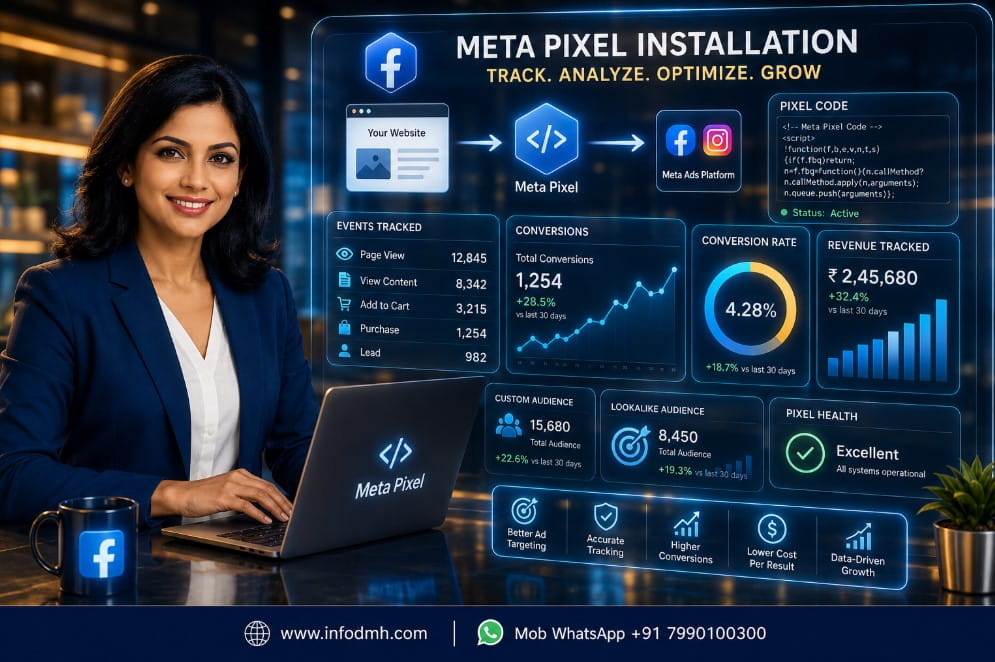
If you want to master Facebook Par Meta Ads Kaise Chalaye, you should understand Meta Pixel (formerly Facebook Pixel). It is a small tracking code that you install on your website.
Meta Pixel helps you know what visitors do after clicking your ad. For example, it can track page views, form submissions, add-to-cart actions, and purchases.
Because of this data, Meta can optimize your campaigns and show ads to people who are more likely to convert.
Installing Meta Pixel allows you to track website visitors, measure conversions, and improve campaign performance with accurate data and audience insights.
Meta Pixel Ke Benefits
Meta Pixel offers many advantages for businesses.
- Track website visitors
- Measure conversions
- Create Custom Audiences
- Build Lookalike Audiences
- Improve campaign performance
- Increase Return on Ad Spend (ROAS)
Therefore, if you have a website or landing page, installing Meta Pixel is highly recommended.
Meta Pixel Setup Steps
Follow these simple steps:
Step 1: Open Meta Business Manager.
Step 2: Go to Events Manager.
Step 3: Click Create a New Pixel.
Step 4: Enter your business name and website URL.
Step 5: Install the Pixel manually or through platforms like WordPress, Shopify, or WooCommerce.
Step 6: Verify that the Pixel is working using the Meta Pixel Helper tool.
After successful installation, Meta starts collecting useful data that improves your ad campaigns over time.
What Can Meta Pixel Track
| Event | Purpose |
| Page View | Track website visitors |
| View Content | Monitor product or service pages |
| Add to Cart | Track shopping intent |
| Initiate Checkout | Identify checkout users |
| Purchase | Measure completed sales |
| Lead | Track contact form submissions |
For example, if someone visits your product page but does not buy, you can show them a retargeting ad later.
Beginners Ke Liye Meta Ads Tips
Learning Facebook Par Meta Ads Kaise Chalaye becomes easier when you follow practical tips used by experienced marketers.
Start with a Small Budget
Budget planning bhi Facebook Par Meta Ads Kaise Chalaye strategy ka important hissa hai. Chhote budget se bhi achhe results mil sakte hain.
Do not spend a large amount on your first campaign.
Start with ₹300–₹500 per day (or the equivalent in your local currency). First, understand how campaigns work, then increase your budget based on results.
Test Multiple Creatives
Never rely on only one ad.
Create different versions using:
- Different headlines
- Different images
- Short videos
- Different CTAs
A/B testing helps you discover which ad performs best.
Write Simple Ad Copy
People prefer simple and clear messages.
Instead of writing long paragraphs, explain:
- The problem
- Your solution
- The benefit
- The next action
Simple language usually performs better because everyone can understand it.
Monitor Performance Regularly
Check your campaign every day, but avoid making frequent changes.
Review metrics like:
- CTR
- CPC
- ROAS
- Conversions
Use data to make decisions instead of guessing.
Keep Learning
Meta Ads continue to evolve every year.
Read official Meta updates, practice regularly, and test new strategies. Continuous learning is one of the best ways to improve your advertising skills.
Personal Recommendation
After working with digital marketing concepts, my recommendation for beginners learning Facebook Par Meta Ads Kaise Chalaye is to keep things simple.
Start with one campaign and one clear objective. Do not try every advanced feature on the first day. Focus on understanding audience targeting, budget, and ad creatives. Once you collect enough data, improve your campaigns step by step.
For example, if you run a local business, begin with a Traffic or Lead Generation campaign targeting customers in your city. If you have an online store, use Sales campaigns after setting up Meta Pixel correctly.
However, avoid increasing your budget too quickly. First, identify what is working well. Then, scale gradually. This approach reduces risk and helps you get better long-term results.
Remember, successful advertisers are not the ones who spend the most money—they are the ones who continuously test, learn, and optimize.
Conclusion
Now you have learned Facebook Par Meta Ads Kaise Chalaye from the basics to advanced beginner concepts. You explored what Meta Ads are, their benefits, required setup, campaign objectives, audience targeting, budgeting, ad creation, performance tracking, common mistakes, best practices, and Meta Pixel.
The most important lesson is to start with a clear goal, target the right audience, create useful ads, and improve your campaigns using real performance data.
Because Meta Ads provide detailed insights, every campaign helps you learn and perform better.
Whether you are a student, freelancer, entrepreneur, digital marketer, or small business owner, learning Facebook Par Meta Ads Kaise Chalaye is a valuable skill that can help you grow your business and reach more customers in India and around the world.
Ab aap achhi tarah samajh gaye honge ki Facebook Par Meta Ads Kaise Chalaye aur successful campaigns kaise create kiye jate hain. Is guide ko bookmark kare aur jab bhi zarurat ho, Facebook Par Meta Ads Kaise Chalaye process ko dobara follow kare.
Helpful MarketingGuides
- Top 10 AI Tools for Business Owners in 2026-Grow Faster with Smart Automation
- Best AI Digital Marketing Tools in 2026_Complete Beginner Guide
- Top 10 Best Keyword Research Tools for Beginners in 2026 (Free & Paid)
- Best Digital Marketing Tools List (2026 Updated) – Complete Professional Guide
- Best Sales Funnel Software for Small Business in 2026 – Complete Guide
Final CTA
Ready to Start Running Meta Ads
Don’t wait for the perfect time. Create your Meta Business Manager account, launch your first campaign with a small budget, and begin learning through real experience. Every successful advertiser started with their first ad.
If you want more Digital Marketing, SEO, AI Tools, WordPress, Social Media Marketing, and Meta Ads tutorials, visit www.infodmh.com for easy step-by-step guides.
Digital Marketing Hub,
Web www.infodmh.com,
Mob Whatsapp +91 7990100300,
Mail info.globaldmh@gmail.com,
If this guide helped you, share it with your friends and colleagues so they can also learn Facebook Par Meta Ads Kaise Chalaye and grow their business with confidence.
Frequently Asked Questions (FAQs)
Q1. Facebook Par Meta Ads Kaise Chalaye? Complete Beginner Guide (2026) kis ke liye hai
Answer: Yeh guide beginners, freelancers, students, digital marketers, small business owners, aur entrepreneurs ke liye hai. Isme Meta Business Manager setup, campaign creation, audience targeting, budget setting, aur ad optimization ko simple step-by-step language me explain kiya gaya hai.
Q2. Facebook Par Meta Ads Kaise Chalaye
Answer: Facebook Par Meta Ads chalane ke liye sabse pehle Meta Business Manager account banaye, apna Facebook Page connect kare, Ad Account create kare, payment method add kare, campaign objective choose kare, audience target kare, budget set kare, aur ad publish kare.
Campaign live hone ke baad uski performance ko regularly monitor kare.
Q3. Meta Ads shuru karne ke liye minimum budget kitna hona chahiye
Answer: Beginners ₹300–₹500 per day ke budget se shuruaat kar sakte hain. Agar aap kisi aur country me hain, to apni local currency ke hisab se small daily budget se start kare aur results dekhkar budget increase kare.
Q4. Facebook Ads aur Boost Post me kya difference hai
Answer: Boost Post ek simple promotion feature hai, jabki Meta Ads Manager advanced targeting, campaign objectives, A/B testing, conversion tracking, aur detailed analytics provide karta hai. Professional advertising ke liye Meta Ads Manager better option hai.
Q5. Kya Meta Business Manager free hai
Answer: Haan, Meta Business Manager account banana aur use karna bilkul free hai. Aap sirf tab payment karte hain jab aap apni advertising campaign run karte hain.
Q6. Meta Pixel kya hai aur kya ise install karna zaruri hai
Answer: Meta Pixel ek tracking code hai jo website visitors ke actions ko track karta hai. Yeh conversions measure karne, Custom Audience banane, aur ad performance improve karne me madad karta hai.
Agar aapke paas website hai, to Meta Pixel install karna strongly recommended hai.
Q7. Meta Ads se results kitne din me milte hain
Answer: Initial results aksar 3–7 din me dikhne lagte hain. Lekin better optimization aur consistent performance ke liye campaign ko kuch hafton tak monitor aur improve karna chahiye.
Q8. Kya mobile phone se Meta Ads chala sakte hain
Answer: Haan. Aap Meta Ads Manager mobile app se campaigns create aur manage kar sakte hain. Lekin advanced settings, detailed reporting, aur campaign optimization ke liye desktop version zyada convenient aur recommended hai.

Excellent guide! 👍 If you’re a beginner and want to learn Facebook Par Meta Ads Kaise Chalaye, this article explains everything step by step—from Meta Business Manager setup to audience targeting, budgeting, and campaign optimization. It’s simple, practical, and easy to follow.
Very informative post! The tips on Meta Pixel, campaign objectives, and common mistakes are especially helpful for beginners and small business owners. If you’re planning to grow your business with Facebook and Instagram Ads in 2026, this guide is definitely worth reading.