

Introduction
If you want more people to find your business on Google Search and Google Maps, then learning Google Business Profile Kaise Banaye is one of the best decisions you can make in 2026.
Today, millions of customers search online before visiting a shop, restaurant, clinic, coaching center, salon, hotel, or service provider.
Therefore, if your business is not visible on Google, you may lose many potential customers.
Many beginners think creating a Google Business Profile is difficult. However, the process is simple and completely free.
With the right steps, anyone can create a professional business profile within a short time.
Google Business Profile Kaise Banaye is a common question among new business owners because they want to increase local visibility and build trust with customers.
For example, imagine someone searches for Best Digital Marketing Agency Near Me or Mobile Repair Shop in Surat.
If your profile is well optimized, your business has a better chance of appearing in those search results. As a result, you can receive more phone calls, website visits, direction requests, and real customers.
In addition, a Google Business Profile helps customers see your business hours, photos, services, reviews, contact details, and location in one place.
Because of these features, businesses can improve their online reputation and attract more local customers without spending money on advertising.
This beginner-friendly guide explains Google Business Profile Kaise Banaye step by step using simple language. Also, you will learn optimization tips, common mistakes, and practical strategies that work for both Indian and global businesses.
If you follow this complete guide on Google Business Profile Kaise Banaye, you can improve your local visibility and attract more customers without spending a large marketing budget.
What is Google Business Profile
Before learning Google Business Profile Kaise Banaye , it is important to understand what Google Business Profile actually is.
A Google Business Profile (GBP) is a free business listing provided by Google. It allows companies to display important information directly on Google Search and Google Maps.
Customers can quickly find your business, read reviews, check opening hours, view photos, visit your website, or call you with a single click.
Earlier, this service was known as Google My Business (GMB). However, Google renamed it to Google Business Profile and introduced easier management tools.
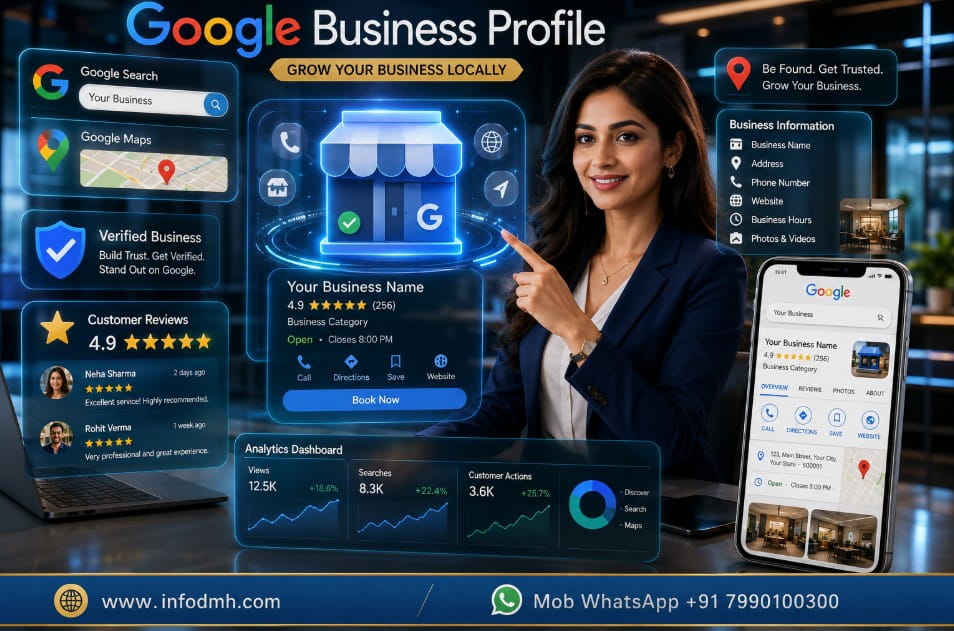
Whether you own a small shop, restaurant, gym, hospital, hotel, freelancer business, digital marketing agency, coaching institute, or online service company, creating a Google Business Profile can improve your local online presence.
Understanding Google Business Profile Kaise Banaye helps beginners create a professional online presence that builds trust with potential customers.
Why Should You Learn Google Business Profile Kaise Banaye
Learning Google Business Profile Kaise Banaye offers many benefits. It is not only useful for local businesses but also for professionals who want to build trust online.
First, visit the Google Business Profile Official Website to create or manage your business listing.
Key Benefits
- Free business listing on Google Search and Google Maps.
- Increase local customers without paying for ads.
- Improve business credibility with verified information.
- Display customer reviews and ratings.
- Add business photos and videos.
- Show business location with Google Maps.
- Receive phone calls directly from search results.
- Share updates, offers, and announcements.
- Track customer interactions with Google Insights.
- Build a stronger local brand presence.
Because Google is the world’s largest search engine, having an optimized profile gives businesses a significant advantage over competitors.
One of the biggest advantages of learning Google Business Profile Kaise Banaye is that your business becomes easier to discover on Google Search and Google Maps.
Google Business Profile vs Business Website
Many people think a website and a Google Business Profile are the same.
However, both have different purposes and work best together.
| Feature | Google Business Profile | Business Website |
| Cost | Free | Paid (Hosting + Domain) |
| Setup Time | 10–20 Minutes | Several Hours |
| Google Maps Listing | Yes | No |
| Customer Reviews | Yes | Usually No |
| Phone Call Button | Yes | Depends on Website |
| Local SEO Support | Excellent | Good |
| Full Business Information | Yes | Yes |
| Best For | Local Businesses | Complete Online Presence |
Recommendation: Use both together. A Google Business Profile helps customers discover your business, while your website provides detailed information and generates leads.
Who Should Create a Google Business Profile
If you are wondering whether this guide is suitable for you, the answer is probably yes.
You should learn Google Business Profile Kaise Banaye if you are:
- Small business owner
- Startup founder
- Freelancer
- Digital marketer
- Restaurant owner
- Doctor or clinic owner
- Salon or spa owner
- Gym owner
- Hotel owner
- Coaching institute
- Real estate consultant
- Lawyer or CA
- Local service provider
- Home-based business owner
Even if you work from home and serve customers in a local area, a properly managed Google Business Profile can help you reach more people.
Requirements Before You Create a Google Business Profile
Before starting Google Business Profile Kaise Banaye, prepare the following details. This will make the setup process faster and more professional.
Want to improve your Google Maps ranking? Explore our detailed guide on Top SEO Tools for Beginners to discover the best SEO platforms for keyword tracking, local SEO, and website optimization.
Before starting Google Business Profile Kaise Banaye, make sure all your business information is accurate and consistent.
Basic Information Checklist
✔ Google Account (Gmail)
✔ Business Name
✔ Business Category
✔ Business Address
✔ Phone Number
✔ Business Website
✔ Business Working Hours
✔ Business Description
✔ High-Quality Business Logo
✔ Interior and Exterior Photos
✔ Service or Product Details
✔ Social Media Links (optional)
Having accurate information is very important because Google checks consistency while verifying your business.
Therefore, always use the same business name, address, and phone number across your website and social media profiles.
Tip 1 – Choose the Right Business Category
One of the most important steps in Google Business Profile Kaise Banaye is selecting the correct business category.
For example:
- Digital Marketing Agency
- Restaurant
- Medical Clinic
- Gym
- Clothing Store
- Electronics Store
- Hotel
- Real Estate Agency
- Coaching Center
The right category helps Google understand your business and show it to the right customers. However, choosing an incorrect category may reduce your visibility in local search results.
Example: If you run a digital marketing company but select Advertising Service instead of Digital Marketing Agency, your profile may not reach the most relevant audience.
Google Business Profile Kaise Banaye – Step-by-Step Guide (2026)
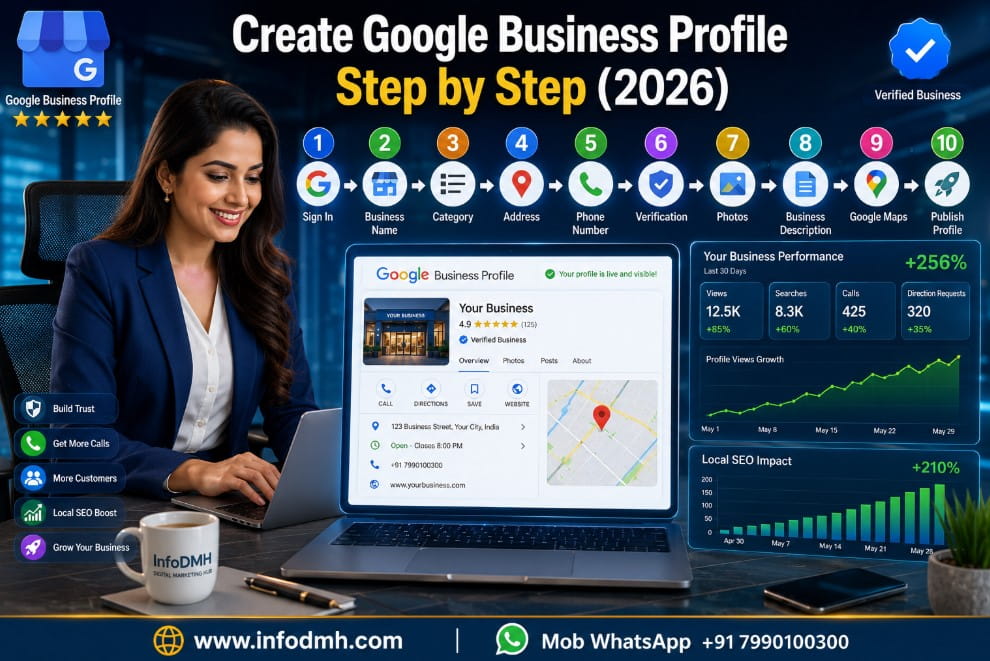
Now that you understand the basics, let’s learn Google Business Profile Kaise Banaye step by step.
Follow these simple instructions carefully. First, complete your profile correctly.
Next, verify your business. Finally, optimize it so more local customers can find you on Google Search and Google Maps.
Step 1: Sign In to Google Business Profile
The first step in Google Business Profile Kaise Banaye is signing in with your Google account.
- Open the Google Business Profile website.
- Sign in using your Gmail account.
- Click Manage Now or Add Your Business.
- Enter your business name.
If your business already appears on Google, claim the existing listing instead of creating a duplicate profile.
Tip: Always use your official business Gmail account. This makes future management easier.
Step 2: Enter Your Business Name Correctly
Your business name should exactly match your real business name.
For example:
✅ InfoDMH Digital Marketing Hub
Best Digital Marketing Agency in India | No.1 SEO Company
Do not add extra keywords just to rank higher. Because Google may suspend your profile if the business name looks spammy.
Learning Google Business Profile Kaise Banaye also means following Google’s guidelines to keep your listing safe.
Step 3 Select the Right Business Category
Choosing the correct category is one of the most important parts of Google Business Profile Kaise Banaye.
Examples:
- Digital Marketing Agency
- Restaurant
- Hotel
- Medical Clinic
- Coaching Centre
- Gym
- Beauty Salon
- Electronics Store
You can also add secondary categories if they match your services.
For example, a digital marketing agency can also select:
- Marketing Consultant
- Advertising Agency
- Website Designer
This helps Google understand your business better.
Choosing the correct category is an important part of Google Business Profile Kaise Banaye because it helps Google understand your business.
Step 4 Add Your Business Location
If customers visit your office or shop, enter the complete address.
Include:
- Building Name
- Street
- City
- State
- PIN Code
- Country
However, if you provide services at customers’ locations (for example, plumbers, electricians, freelancers, or consultants), you can hide your exact address and choose your service areas instead.
This makes Google Business Profile Kaise Banaye suitable for both physical and service-based businesses.
Step 5 Add Contact Information
Customers should be able to contact you easily.
Add:
- Mobile Number
- Business Phone Number
- Website URL
- Appointment Link (if available)
A verified phone number builds trust.
Also, adding your website helps visitors learn more about your products and services.
Step 6 Complete Business Verification
Verification proves that your business is genuine.
Google may offer different verification methods depending on your business type and location.
Common verification options include:
- Video verification
- Phone verification
- Email verification
- Live video call
- Postcard verification (available in some cases)
Complete verification as soon as possible. An unverified profile has limited visibility.
Therefore, verification is one of the most important steps in Google Business Profile Kaise Banaye.
If you face any issue during verification or profile setup, visit the Google Business Profile Help Center for official step-by-step guidance.
Verification is an essential step in Google Business Profile Kaise Banaye because verified businesses usually gain more customer trust.
Step 7 Write an SEO-Friendly Business Description
A good business description helps customers understand what you offer.
Keep it simple.
Include:
- Your main services
- Experience
- Target customers
- Unique selling points
Example:
InfoDMH Digital Marketing Hub helps businesses grow through SEO, Google Ads, Meta Ads, website development, AI marketing, and digital branding.
We provide affordable digital marketing solutions for startups, local businesses, and growing companies.
Avoid keyword stuffing.
Write naturally for both users and Google.
Step 8 Upload High-Quality Photos
Photos improve customer trust.
Upload:
- Business Logo
- Cover Photo
- Office Images
- Team Photos
- Product Images
- Service Images
- Customer Area
- Before-and-After Photos (if applicable)
Businesses with quality images usually receive more clicks and direction requests.
Because people trust businesses they can actually see.
Businesses that follow Google Business Profile Kaise Banaye and regularly upload new photos often receive better customer engagement.
Google Business Profile Optimization Tips
Creating a profile is only the beginning.
Proper optimization helps improve local rankings.
Optimization Checklist
✔ Complete every profile section.
✔ Add business hours.
✔ Update holiday timings.
✔ Upload new photos regularly.
✔ Add products and services.
✔ Enable messaging if available.
✔ Answer customer questions.
✔ Publish weekly Google Posts.
✔ Keep contact details updated.
✔ Respond to every review politely.
These activities show Google that your business is active.
Proper optimization after Google Business Profile Kaise Banaye improves your chances of ranking higher in local search results.
Common Mistakes to Avoid
Many beginners create a profile but make small mistakes that reduce visibility.
Avoid these common errors while learning Google Business Profile Kaise Banaye
Using fake business names
Adding incorrect phone numbers
Uploading low-quality images
Choosing the wrong category
Ignoring customer reviews
Never updating business information
Creating duplicate listings
Stuffing keywords into the business name
Leaving important sections incomplete
However, if you keep your profile accurate and updated, your chances of ranking improve significantly.
Real-Life Use Cases
Here are some examples showing how different businesses can benefit after learning Google Business Profile Kaise Banaye.
Digital Marketing Agency
A local agency can receive more client inquiries through Google Search and Maps.
Restaurant
Customers can view menus, ratings, photos, and directions before visiting.
Medical Clinic
Patients can check opening hours, reviews, and book appointments easily.
Coaching Institute
Students can discover courses, read reviews, and contact the institute directly.
Home Service Business
Electricians, plumbers, and AC repair professionals can attract nearby customers searching for urgent services.
These examples show that a well-optimized Google Business Profile works for almost every local business.
Tip 2 – Keep Your Profile Active
Google prefers active businesses.
Therefore:
- Upload fresh photos every month.
- Post business updates regularly.
- Reply to customer reviews quickly.
- Add new services whenever needed.
- Keep business timings accurate.
An active profile sends positive signals to Google and improves customer trust.
Advanced Tips to Rank Higher with Google Business Profile
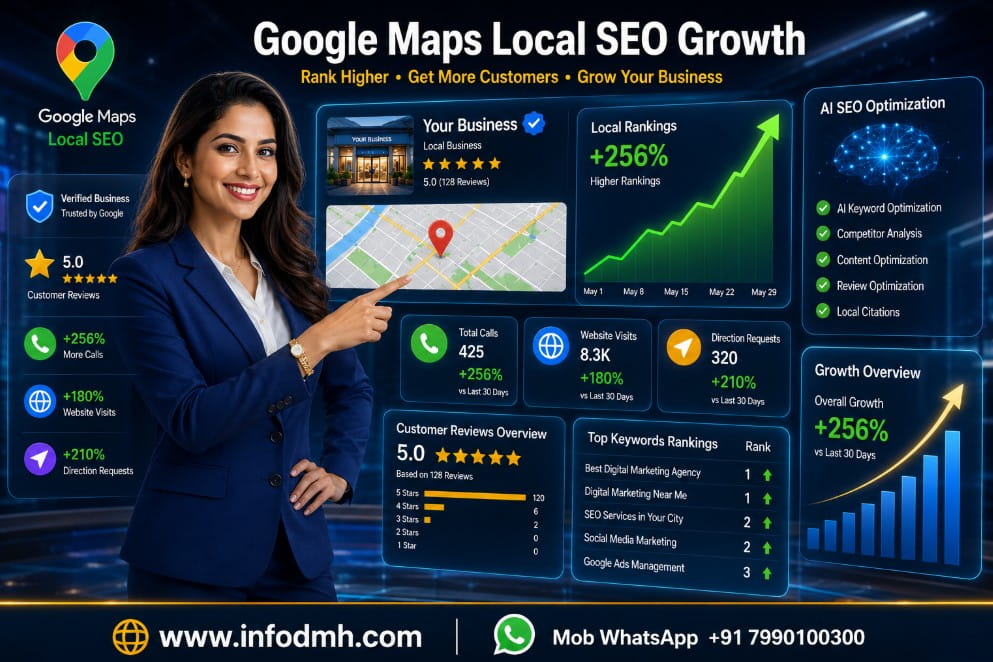
After learning Google Business Profile Kaise Banaye , the next goal is to make your business stand out from competitors.
Creating a profile is only the first step. However, regular optimization helps you attract more local customers and improve your visibility on Google Search and Google Maps.
Below are some proven tips that work for both Indian and global businesses.
Tip 3 – Collect Genuine Customer Reviews
Customer reviews are one of the strongest ranking factors for local SEO.
When people see positive reviews, they trust your business more. Also, Google considers active and highly rated businesses more reliable.
Here are a few simple ways to get more reviews:
- Ask satisfied customers to leave a review after completing a service.
- Share your Google review link through WhatsApp, email, or SMS.
- Reply politely to every review, whether it is positive or negative.
- Never buy fake reviews because Google can detect suspicious activity.
For example, if two businesses offer the same service, the one with more genuine 5-star reviews often receives more clicks and inquiries.
Getting found on Google starts with the right keywords. Read our complete guide on Keyword Research Tools to find high-traffic local keywords and improve your Google Business Profile visibility.
Customer reviews play a major role after Google Business Profile Kaise Banaye because they increase credibility and improve local SEO.
Tip 4 – Publish Google Posts Regularly
Many business owners create a profile but never update it. This is a common mistake.
Google Posts allow you to share:
- Latest offers
- New products
- Business updates
- Events
- Festivals greetings
- Special discounts
- Helpful tips
Posting once every week keeps your profile active. Therefore, Google sees your business as updated and trustworthy.
Tip 5 – Keep Business Information Updated
Accurate information creates a better customer experience.
Always update:
- Business hours
- Holiday timings
- Phone number
- Website URL
- Business address
- Products and services
Even a small mistake, such as an incorrect phone number or outdated timing, can cause you to lose potential customers.
Tip 6 – Add Products and Services
Google Business Profile allows you to showcase your products and services directly.
For example, if you run a digital marketing agency, you can add:
- SEO Services
- Google Ads Management
- Meta Ads
- Website Development
- Social Media Marketing
- AI Marketing Solutions
Similarly, a restaurant can display menu items, while a salon can list beauty services.
This helps customers understand your business before contacting you.
Tip 7 – Monitor Profile Performance
Google Business Profile provides valuable performance insights.
You can track:
- How customers found your business
- Number of profile views
- Phone calls received
- Website visits
- Direction requests
- Popular search terms
These insights help you understand customer behavior and improve your marketing strategy over time.
Personal Recommendation
If you ask for my recommendation, I suggest creating your Google Business Profile immediately, even if your business is new.
Many small business owners spend money on advertisements before improving their free Google listing. However, an optimized Google Business Profile can bring local customers without any advertising cost.
After you learn Google Business Profile Kaise Banaye, focus on these habits:
- Complete every profile section.
- Upload high-quality images regularly.
- Collect genuine customer reviews.
- Publish weekly Google Posts.
- Keep your information accurate.
- Update products and services whenever needed.
- Respond professionally to customer reviews.
These small actions can make a significant difference in your local search rankings over time.
Boost your productivity with automation. Explore our guide on Best AI Digital Marketing Tools to discover powerful AI solutions for content creation, SEO, marketing, and business growth in 2026.
I recommend implementing every step explained in Google Business Profile Kaise Banaye instead of leaving your profile incomplete.
Final Checklist Before Publishing Your Profile
Before making your profile live, make sure everything is complete.
Quick Checklist
✔ Business Name
✔ Correct Business Category
✔ Verified Profile
✔ Phone Number
✔ Business Address or Service Area
✔ Website Link
✔ Business Description
✔ Business Hours
✔ Products and Services
✔ High-Quality Photos
✔ Company Logo
✔ Cover Image
✔ Customer Reviews
✔ Google Posts
✔ Updated Contact Information
Completing this checklist improves both customer trust and your chances of appearing in local search results.
Useful Articles for Website Growth
- Best Digital Marketing Tools List (2026 Updated) – Complete Professional Guide
- Best SEO & Content Tools for Bloggers & Businesses (2026 Complete Guide)
- Top 10 Best AI Image Generators in 2026 – Complete Beginner Guide
- How to Use WhatsApp Business for Small Business
- Google Sheets for Beginners 2026
Conclusion
Learning Google Business Profile Kaise Banaye is one of the smartest steps for any business owner in 2026. It is completely free, easy to set up, and highly effective for improving local visibility.
Expand your business beyond Google. Read our complete guide on Facebook Meta Ads Kaise Chalaye to reach targeted customers on Facebook and Instagram with high-converting ad campaigns.
Whether you own a small shop, restaurant, coaching center, clinic, hotel, salon, startup, or digital marketing agency, a well-optimized Google Business Profile helps customers discover your business faster on Google Search and Google Maps.
Remember, creating the profile is only the beginning. The real success comes from keeping it active with fresh photos, updated information, Google Posts, and genuine customer reviews. Because Google rewards businesses that consistently provide accurate and helpful information.
Finally, if you follow the strategies shared in this guide on Google Business Profile Kaise Banaye, you can build a stronger online presence, earn customer trust, and attract more local customers throughout 2026 and beyond.
After optimizing your Google Business Profile, grow even faster with paid advertising. Learn Google Ads Kaise Chalaye and attract more local customers through Google Search campaigns.
This guide on Google Business Profile Kaise Banaye is suitable for beginners, startups, freelancers, and local businesses that want long-term online growth.
Ready to Grow Your Local Business
Start creating your Google Business Profile today and optimize it using the tips shared in this guide.
If you also want to learn SEO, Google Ads, AI Marketing, and other digital marketing strategies, explore more beginner-friendly guides on InfoDMH and take your business to the next level.
Digital Marketing Hub
WhatsApp: +91 7990100300
Website: www.infodmh.com
Email: info.globaldmh@gmail.com
Start today by following Google Business Profile Kaise Banaye and keep your profile updated regularly to attract more local customers throughout 2026.
FAQs – Google Business Profile Kaise Banaye 12 Powerful Tips to Get More Local Customers (2026)
Q1. Google Business Profile Kaise Banaye
Answer
Google Business Profile Kaise Banaye is a common question for beginners. First, sign in with your Google account, enter your business name, choose the correct category, add your address, phone number, and website, then complete the verification process. Finally, optimize your profile with photos, business hours, services, and customer reviews.
Q2. Why should I read Google Business Profile Kaise Banaye- 12 Powerful Tips to Get More Local Customers (2026)
Answer
Google Business Profile Kaise Banaye? 12 Powerful Tips to Get More Local Customers (2026) helps beginners learn how to create, verify, and optimize a Google Business Profile. It also explains practical local SEO tips that can improve visibility on Google Search and Google Maps.
Q3. Is Google Business Profile free to use
Answer
Yes. Google Business Profile is completely free. You can create your business listing, manage customer reviews, upload photos, update business information, and appear on Google Search and Google Maps without paying any registration fee.
Q4 . How long does Google Business Profile verification take
Answer
Verification time depends on the method Google offers. Video, email, or phone verification may be completed quickly, while other methods can take a few days. After successful verification, your business becomes eligible to appear publicly on Google.
Q5. Can I create a Google Business Profile without a website
Answer
Yes. A website is not mandatory. You can create a Google Business Profile using your business name, phone number, address or service area, and other business details. However, having a website increases customer trust and provides additional information.
Q6. How can I improve my Google Business Profile ranking
Answer
Complete every section of your profile, upload high-quality photos, collect genuine customer reviews, publish regular Google Posts, respond to reviews, and keep your business information updated. These actions help improve your local SEO performance.
Q7. Who should create a Google Business Profile
Answer
Small business owners, freelancers, restaurants, clinics, salons, hotels, coaching institutes, digital marketing agencies, retail stores, and other local service providers should create a Google Business Profile to attract more nearby customers.
Q8. What are the biggest mistakes to avoid in Google Business Profile
Answer
Avoid using fake business names, selecting the wrong category, creating duplicate listings, uploading poor-quality images, ignoring customer reviews, and keeping outdated contact information. Maintaining an accurate and active profile helps improve trust and local search visibility.

Excellent guide! I was confused about creating a Google Business Profile, but this article explained every step in a very simple way. The optimization tips and Google Maps ranking advice were especially helpful. I successfully created my profile after reading this. Thank you for sharing such valuable information!
This is one of the best beginner-friendly articles on Google Business Profile Kaise Banaye.
The step-by-step guide, comparison table, and practical tips made everything easy to understand.
I’m looking forward to reading more digital marketing and local SEO guides from InfoDMH. Great work!