
Introduction
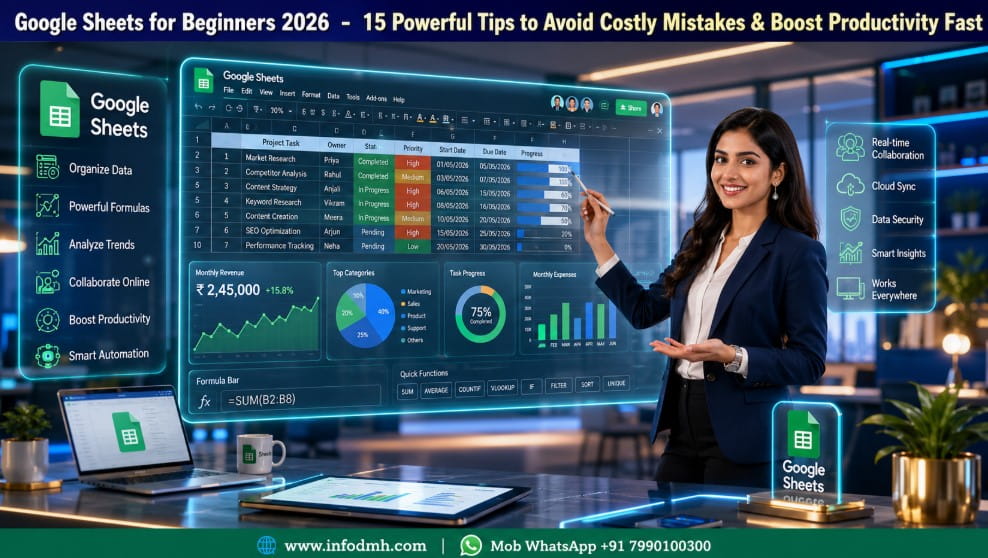
Google Sheets for Beginners is one of the best skills you can learn in 2026. Whether you are a student, freelancer, business owner, office employee, or digital marketer, Google Sheets helps you organize data, calculate numbers, manage projects, and work with teams from anywhere.
Many beginners think spreadsheets are difficult. However, the truth is that Google Sheets for Beginners is simple when you learn step by step.
Google has designed it with an easy interface, and because it works online, you don’t need expensive software.
In this Google Sheets for Beginners guide, you will learn everything from creating your first spreadsheet to using formulas, charts, filters, and collaboration tools. Also, you will discover common mistakes to avoid and productivity tips that save time.
If you have never used spreadsheets before, don’t worry.
This tutorial uses simple English so both Indian and global readers can understand every concept easily.
What is Google Sheets for Beginners
Google Sheets for Beginners is Google’s free cloud-based spreadsheet application. It allows users to create, edit, calculate, analyze, and share data online.
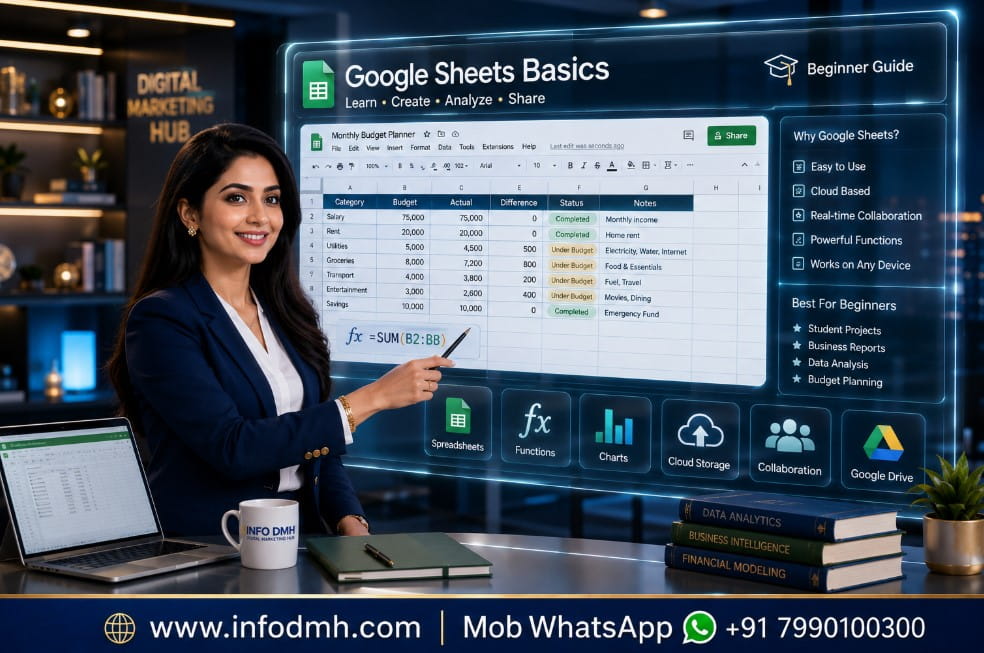
Unlike traditional spreadsheet software, Google Sheets automatically saves your work in Google Drive. Therefore, you never have to worry about losing your files because of a computer crash.
You can use Google Sheets to
- Budget planning
- Expense tracking
- School assignments
- Attendance sheets
- Sales reports
- Business records
- Inventory management
- Team collaboration
- Marketing reports
- Project planning
Simply put, Google Sheets for Beginners is one of the most useful productivity tools available today.
Why Learn Google Sheets for Beginners in 2026
Learning Google Sheets for Beginners provides many advantages.
Benefits
- Free to use
- Works on Windows, Mac, Android, and iPhone
- Saves files automatically
- Easy sharing with team members
- Supports real-time collaboration
- Includes hundreds of formulas
- Creates professional charts
- Integrates with Google Workspace
- Useful for jobs, business, and freelancing
Because companies increasingly use cloud-based tools, Google Sheets has become an important workplace skill.
To improve your productivity with Google Workspace, explore the official Google Workspace Learning Center. It offers free learning resources, tutorials, and practical guides for beginners and business users.
Google Sheets for Beginners vs Microsoft Excel
| Feature | Google Sheets | Microsoft Excel |
| Price | Free | Paid (Most Versions) |
| Cloud Storage | Yes | Limited |
| Auto Save | Yes | Depends on Version |
| Team Collaboration | Excellent | Good |
| Offline Support | Yes | Yes |
| Best For | Beginners & Teams | Advanced Data Analysis |
Which One is Better
For most new users, Google Sheets for Beginners is the better choice because it is free, simple, and accessible from anywhere.
How to Start Google Sheets for Beginners (Step-by-Step Guide)
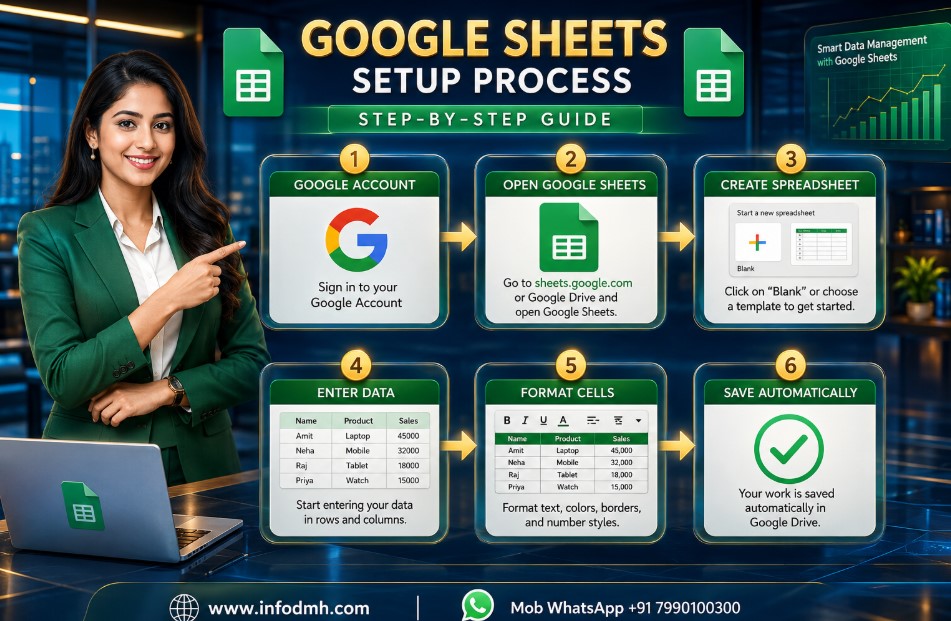
Follow these simple steps.
Step 1: Open Google Sheets
Visit Google Sheets using your Google account.
Step 2: Create a New Spreadsheet
Click Blank Spreadsheet.
Now you have created your first Google Sheets for Beginners document.
After creating charts and reports in Google Sheets, you can design professional presentations and social media graphics using our Canva for Beginners Guide. Combining both tools helps create attractive business reports and marketing materials.
Step 3: Rename the File
Click “Untitled Spreadsheet.”
Give your file a meaningful name.
Example:
- Monthly Budget
- Sales Report
- Student Attendance
Step 4: Enter Data
Type information into rows and columns.
Example
| Name | Age | City |
| Rahul | 24 | Delhi |
| Emma | 29 | London |
| John | 32 | New York |
Step 5: Save Automatically
Google Sheets saves everything automatically.
Therefore, no Save button is required.
Understanding Rows, Columns, and Cells
Every Google Sheets for Beginners user should understand three basic terms.
Row
Horizontal line.
Example:
Row 1
Column
Vertical line.
Example:
Column A
Cell
The meeting point of a row and a column.
Example:
A1
Understanding these basics makes learning formulas much easier.
Essential Features in Google Sheets for Beginners
Here are the most useful tools.
Formatting
You can:
- Change font
- Make text bold
- Change colors
- Add borders
- Align text
Insert Charts
Visual reports help explain data quickly.
Google Sheets supports:
- Pie Charts
- Bar Charts
- Line Charts
- Column Charts
Filters
Filters show only the information you need.
For example, display only sales from Mumbai.
Conditional Formatting
Highlight important values automatically.
Example:
- Sales above ₹50,000 become green.
- Low scores become red.
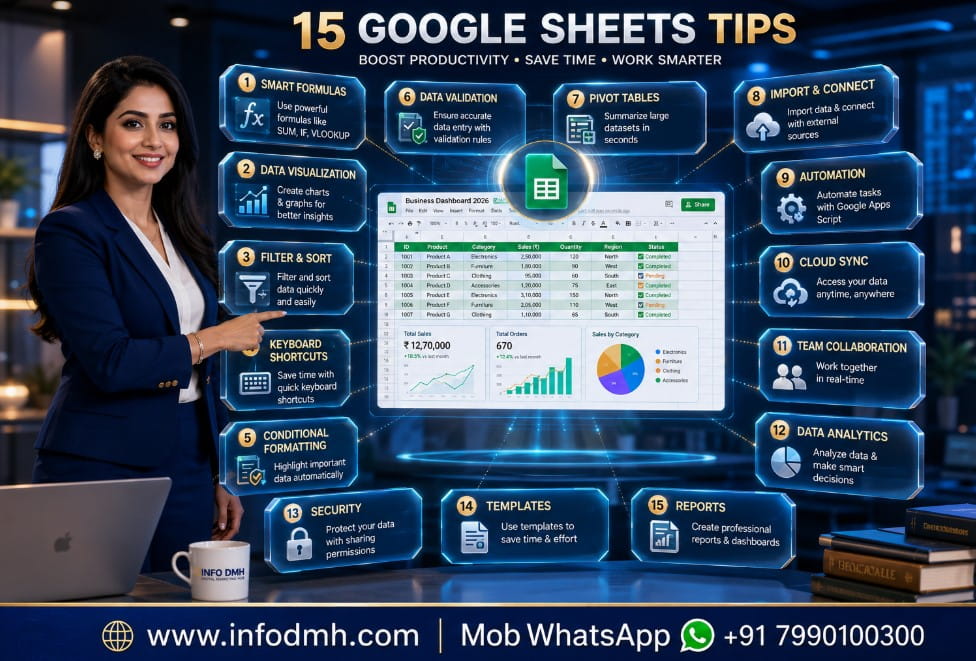
Top 15 Powerful Tips for Google Sheets for Beginners
1. Learn keyboard shortcuts.
2. Use AutoFill.
3. Freeze the header row.
4. Use filters for large data.
5. Learn SUM function first.
6. Practice every day.
7. Keep data organized.
8. Use color coding wisely.
9. Create charts for reports.
10. Share files safely.
11. Protect important cells.
12. Use templates.
13. Keep backups in Drive.
14. Learn basic formulas before advanced ones.
15. Explore Google Workspace integration.
These tips make Google Sheets for Beginners easier and more productive.
Basic Formulas Every Google Sheets for Beginners User Should Know
| Formula | Purpose | Example |
| SUM | Add numbers | =SUM(A1:A10) |
| AVERAGE | Average value | =AVERAGE(A1:A10) |
| MAX | Highest value | =MAX(A1:A10) |
| MIN | Lowest value | =MIN(A1:A10) |
| COUNT | Count cells | =COUNT(A1:A10) |
First, practice these formulas. Next, move to advanced functions later.
Common Mistakes to Avoid in Google Sheets for Beginners
Many beginners make small mistakes.
Avoid these:
- Forgetting headers
- Mixing text and numbers
- Deleting formulas accidentally
- Sharing files with everyone
- Using too many colors
- Ignoring data validation
- Not checking formulas
Because small mistakes can create incorrect reports, always review your spreadsheet before sharing.
Best Use Cases of Google Sheets for Beginners
The best part of Google Sheets for Beginners is its flexibility.
Digital marketers often use Google Sheets to organize campaign data, SEO reports, and content calendars. Explore our AI Marketing Tools guide to automate marketing tasks and improve productivity.
Students
- Homework tracker
- Study planner
- Marks calculator
Small Businesses
- Sales reports
- Customer records
- Stock management
- Invoice tracking
Freelancers
- Income tracker
- Client database
- Project timeline
Families
- Grocery list
- Monthly budget
- Expense tracker
Digital Marketers
Google Sheets is perfect for organizing SEO keywords, search volume, and ranking reports. Learn the best Keyword Research Tools to build an effective SEO strategy.
- Keyword research
- SEO reports
- Campaign tracking
- Social media planning
Google Sheets for Beginners Productivity Tips
If you want to work faster, follow these suggestions.
- Keep one spreadsheet for one purpose.
- Name sheets properly.
- Use colors consistently.
- Avoid duplicate data.
- Create backup copies.
- Use filters instead of deleting rows.
- Learn one new formula every week.
- Review data regularly.
In addition, using templates can save a lot of time.
As your projects grow, you may need advanced collaboration features. Read our Project Management Software guide to compare the best tools for teams and businesses.
Personal Recommendation
After using spreadsheets for different business tasks, I recommend Google Sheets for Beginners to anyone who wants a free and reliable productivity tool.
Start with basic tables and simple formulas. However, don’t try to learn everything in one day.
Practice a little every day. Because Google Sheets works in the cloud, you can access your files from your laptop, tablet, or smartphone anywhere.
If you are a student, freelancer, blogger, or small business owner, Google Sheets is an excellent long-term investment in your digital skills.
If you want to explore advanced features, keyboard shortcuts, and the latest updates, visit the official Google Sheets Help Center. It provides step-by-step tutorials, troubleshooting guides, and expert documentation directly from Google.
Freelancers use Google Sheets to track clients, invoices, and project deadlines. If you want to build an online career, read our Freelancing with AI Tools guide for practical tips.
Conclusion
Learning Google Sheets for Beginners in 2026 is one of the smartest decisions for students, professionals, freelancers, and business owners.
It is free, easy to learn, and powerful enough for everyday tasks. By following this Google Sheets for Beginners tutorial, practicing the basic formulas, avoiding common mistakes, and applying the 15 powerful tips, you can build confidence quickly and improve your productivity.
Start with simple spreadsheets today, continue practicing regularly, and you will soon be able to create professional reports, manage data efficiently, and collaborate with teams from anywhere in the world.
Related
- Top 10 AI Tools for Business Owners in 2026-Grow Faster with Smart Automation
- How to Start Online Business from Home (Step-by-Step Guide 2026)
- Best Digital Marketing Tools List (2026 Updated) – Complete Professional Guide
- Top 10 Best AI Writing Tools for Bloggers in 2026 (Free & Paid)
- Best Payment Gateway for Indian Businesses in 2026 | Top 10 Compared
Call To Action (CTA)
Ready to master Google Sheets for Beginners
Start practicing today and improve your productivity with simple spreadsheet skills. Explore more free tutorials on InfoDMH, learn the latest Google Workspace tools, and grow your digital career with step-by-step guides.
Visit www.infodmh.com for more helpful resources and expert tips.
me Digital Marketing Hub,
Web www.infodmh.com,
Mob Whatsapp +91 7990100300,
Mail info.globaldmh@gmail.com,
Frequently Asked Questions (FAQs)
1. What is Google Sheets for Beginners
Google Sheets for Beginners is a free online spreadsheet tool by Google that helps users create, edit, organize, and analyze data. It is easy to use and perfect for students, professionals, freelancers, and small business owners.
2. Is Google Sheets free to use
Yes. Google Sheets is completely free with a Google account. You can create unlimited spreadsheets, store them in Google Drive, and access them from any device with an internet connection.
3. What is the difference between Google Sheets and Microsoft Excel
Google Sheets is cloud-based, automatically saves your work, and is excellent for team collaboration. Microsoft Excel offers more advanced data analysis features but usually requires a paid license. For most beginners, Google Sheets for Beginners is the easier choice.
4. Can I use Google Sheets offline
Yes. You can enable Offline Mode in Google Drive settings. After that, you can create and edit spreadsheets without an internet connection, and your changes will sync automatically when you’re back online.
5. Which basic formulas should every beginner learn first
Every beginner should start with these formulas:
- SUM() – Adds numbers
- AVERAGE() – Finds the average
- COUNT() – Counts cells with numbers
- MAX() – Finds the highest value
- MIN() – Finds the lowest value
These formulas cover most everyday spreadsheet tasks.
6. Who should learn Google Sheets for Beginners in 2026
Google Sheets for Beginners is ideal for:
- Students
- Teachers
- Office employees
- Freelancers
- Bloggers
- Digital marketers
- Small business owners
- Accountants
- Project managers
Learning Google Sheets is a valuable skill for almost every profession.
7. Can multiple people work on the same Google Sheet at the same time
Yes. One of the biggest advantages of Google Sheets for Beginners is real-time collaboration. You can share your spreadsheet with others and allow them to view, comment, or edit it simultaneously.
8. Why should I learn Google Sheets for Beginners in 2026
Learning Google Sheets for Beginners in 2026 helps you improve productivity, organize data, create reports, manage budgets, collaborate with teams, and build valuable workplace skills.
It is widely used across education, business, finance, marketing, and many other industries, making it an excellent career skill for both India and global audiences.

Excellent beginner-friendly guide! I was looking for an easy Google Sheets for Beginners tutorial, and this article explained everything clearly. The step-by-step guide, formulas, and productivity tips are very helpful. Thank you for sharing such valuable information!
Very informative and easy to understand! I liked the comparison table and practical examples in this Google Sheets for Beginners guide. It helped me avoid common mistakes and learn useful spreadsheet skills. Looking forward to reading more helpful tutorials on InfoDMH.